
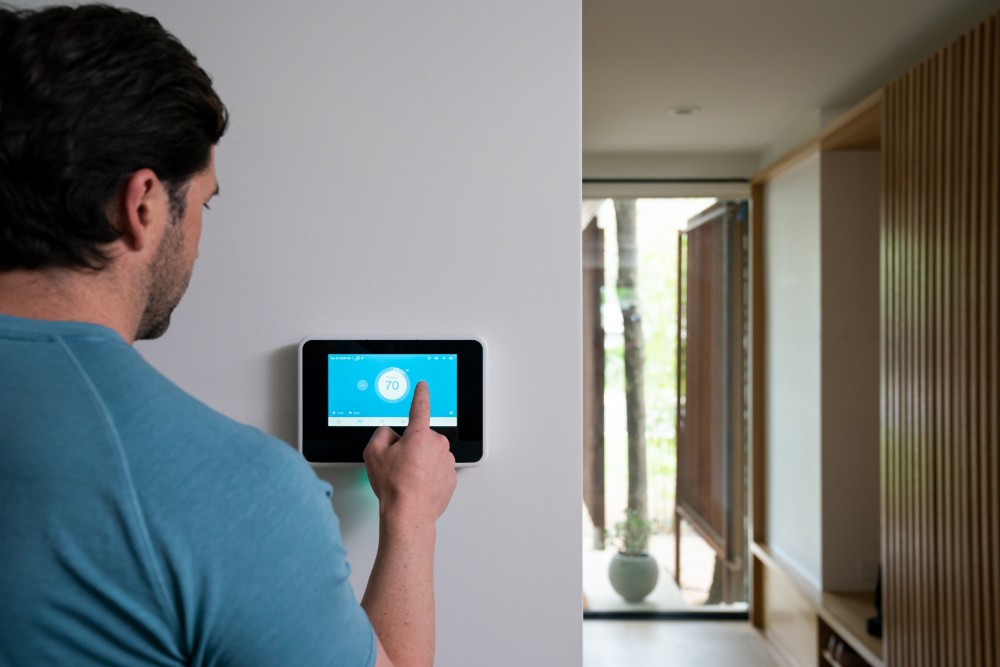
When we started adding smart home upgrades, we realized pretty quickly that the devices themselves were only part of the setup.
The real difference came from the Wi-Fi behind them.
Once coverage improved, the lights responded faster, the cameras stayed online, and the whole system felt easier to live with.
That is why better Wi-Fi coverage matters so much.
A smart home is not just a group of gadgets. It is a connected system.
The more devices we add, the more important it becomes to make sure every room has a reliable signal, not just the area near the router.
Good coverage helps each upgrade do the job it was meant to do.
Poor coverage can make even expensive devices feel frustrating.
Why Wi-Fi Coverage Is the Real Foundation of a Smart Home
From our experience, most smart home devices depend on a steady connection.
Some use Wi-Fi directly, while others rely on a hub that still needs a stable internet path to keep app control, remote access, and routines working properly.
That means the network is not a small detail. It is the foundation that affects how the whole setup performs.
When coverage is weak, the problems show up fast.
A smart bulb may respond a few seconds late.
A camera feed may buffer when we try to check it. A door lock may take too long to update its status. A robot vacuum may lose connection halfway through a cleaning cycle.
A motion sensor may trigger, but the linked light may not turn on fast enough to help.
When coverage is strong, smart devices feel simple. Commands go through quickly.
Automations run on time. Remote control works whether we are at home or away.
Devices stay connected, so we spend less time fixing problems and more time using the setup.
What Better Coverage Actually Improves
Good Wi-Fi coverage does more than give us better signal bars on a phone.
It improves how smart home upgrades work in daily life.
Faster response times
We expect smart lighting, plugs, and switches to make life easier.
When we tap a button in the app or speak to a voice assistant, the action should happen almost right away.
Strong coverage helps reduce delays, which makes the whole system feel more dependable.
More stable device connections
A smart home usually includes devices that stay online all day.
Cameras, thermostats, plugs, hubs, speakers, and appliances are always checking in, sending updates, or waiting for commands.
Better coverage helps them stay connected without random dropouts.
Better video performance for cameras and doorbells
Security devices put more pressure on the network than simple sensors or switches.
A camera needs enough signal to upload video, send motion alerts, and stream live footage clearly.
If the Wi-Fi is weak near the front door, garage, driveway, or backyard, the camera may still connect, but not perform well when we need it most.
More reliable automation
One of the best parts of a smart home is having devices work together.
A motion sensor triggers a hallway light. A door opens and a camera starts recording.
A bedtime routine turns off lights, locks doors, and adjusts the temperature. Better Wi-Fi coverage helps those actions happen more consistently.
Easier growth over time
Most of us start small. We may begin with a few bulbs or a smart plug, then add cameras, speakers, sensors, or appliances later.
A network with weak coverage may handle the first few devices but struggle once the home becomes more connected.
Good coverage gives us room to grow without needing to rebuild everything later.
The Difference Between Speed and Coverage
We often hear people focus on internet speed, but coverage is usually the bigger issue inside the home.
Speed is how much data the connection can carry.
Coverage is how far a strong, usable signal reaches.
We can have a fast internet plan and still have a weak smart home if the signal gets blocked by walls, floors, cabinets, mirrors, or distance from the router.
That is why a home can test well in the living room and still have unreliable devices in the bedroom, kitchen, garage, or patio.
The internet plan may be fine. The real issue is how well the signal reaches the spaces where smart devices live.
For smart home upgrades, strong coverage throughout the home matters more than top speed in one room.
Which Smart Home Upgrades Depend Most on Strong Coverage
Some devices can handle a weaker signal better than others. In our experience, these upgrades benefit the most when Wi-Fi coverage improves.
- Smart cameras and video doorbells need a stable signal to upload clips, stream live video, and send alerts quickly.
- Smart locks and garage controls need to respond clearly and update status correctly.
- Smart speakers and voice assistants work best when commands go through without delay.
- Smart lights, switches, and plugs still need dependable signal, even if they use little bandwidth.
- Thermostats, air purifiers, and connected appliances rely on stable communication for schedules, updates, and remote control.
- Sensors and automation hubs need consistency so routines can run on time.
When these devices sit in weak-coverage areas, the smart home feels less useful.
Small delays add up. Random disconnects become part of the daily routine.
That is usually the point where we realize the problem is not the device. It is the network around it.
Why Dead Zones Cause Bigger Problems Than Expected
We found that dead zones do not always mean no signal at all.
Sometimes the bigger problem is partial signal.
A device may connect, but the connection is weak enough to cause trouble. That makes issues harder to spot because the device looks online, yet performance is inconsistent.
A camera may still load, but only after buffering.
A smart bulb may work manually but miss scheduled scenes.
A speaker may respond sometimes and ignore commands other times. A lock may appear in the app but fail when we try to use it remotely.
These weak areas often show up exactly where smart devices are installed most often, such as near the front door, along outside walls, upstairs bedrooms, kitchens with large appliances, garages, and patios.
That is why coverage planning should match where devices actually go, not just where the router happens to sit.
Router Placement Matters More Than Most People Think
One of the simplest ways we can improve smart home performance is by rethinking where the router sits.
Many homes place the router wherever the internet service enters the house, but that location is not always best for coverage.
A router usually performs better when it is placed in a central, open, elevated spot instead of hidden in a cabinet, tucked behind a TV, or pushed into a far corner.
The goal is to let the signal spread more evenly instead of forcing it through walls and furniture right away.
For smart home setups, central placement helps create a more balanced signal throughout the home. That matters because smart devices are spread out, not clustered in one room.
We want broad, reliable coverage, not one strong hotspot.
When a Single Router Is Not Enough
In many homes, a single router cannot cover everything well anymore. That does not always mean the router is bad. It usually means the layout or device load has outgrown it.
A larger or more connected home may need more than one access point if it has:
- Multiple floors
- Outdoor smart devices
- Cameras on opposite ends of the property
- Thick construction materials
- Many connected devices running at once
The goal is not just to make the signal reach farther. The goal is to make sure it stays strong and usable wherever the smart home depends on it.
In setups like these, it helps to think beyond a basic router and look at how access points are used to extend coverage where devices actually live.
For homeowners comparing options or trying to understand what they may need to buy wireless access point hardware that matches the size and layout of the home, reviewing different wireless access point categories can help make that decision feel more practical and less guesswork.
Mesh Wi-Fi Can Make Smart Home Upgrades Feel More Reliable
For many homes, mesh Wi-Fi is one of the most practical ways to improve coverage for smart home use.
Instead of relying on one router to reach every room, a mesh system uses multiple nodes placed around the home to spread signal more evenly.
That can make a real difference for:
- Upstairs cameras
- Doorbells near entry points
- Smart TVs in distant rooms
- Garage devices
- Backyard and patio smart gear
- Voice assistants placed far from the main router
A well-placed mesh system helps reduce weak zones and makes it easier for devices to stay connected as routines run across different parts of the house.
It can also be easier to manage than trying to patch coverage one room at a time.
Why Consistency Matters More Than Peak Performance
Smart homes do not just need fast bursts of connectivity.
They need stable, repeatable performance. A camera that streams perfectly once but buffers later is not dependable.
A voice assistant that works in the kitchen but fails in the bedroom is not really helping.
A light that follows its schedule only most of the time is not truly automated.
What we want is consistency. Every device should have enough signal to work the same way every day. That is what makes the home feel smarter.
Better Wi-Fi coverage is what helps make that possible.
How Better Coverage Helps Automations Run Smoothly
Automation is where smart home upgrades become most useful. It is also where weak coverage becomes easiest to notice.
A simple routine may include several connected actions happening in seconds:
- A front door unlocks
- Entry lights turn on
- A hallway speaker plays a welcome message
- An indoor camera changes mode
- The thermostat adjusts for arrival
For that routine to work smoothly, each device has to receive the command without delay or dropout.
If even one device sits in a weak-coverage area, the whole routine can feel unreliable.
Better Wi-Fi coverage reduces those gaps and helps the setup act like one connected system instead of a group of separate gadgets.
A Better Smart Home Starts With a Better Signal
When we want smart home upgrades to save time, simplify routines, and make the home easier to manage, the network has to support that goal.
These devices work best when the Wi-Fi reaching them is strong, stable, and available wherever they are installed. Without that, even good products can feel unreliable.
Better Wi-Fi coverage helps smart lights respond faster, cameras stream more clearly, locks stay reachable, automations run on time, and future upgrades fit in more smoothly.
It turns separate devices into a system that actually works together.
If we want smart home upgrades to work better, the first upgrade is often not the device itself. It is the Wi-Fi coverage supporting the whole home.