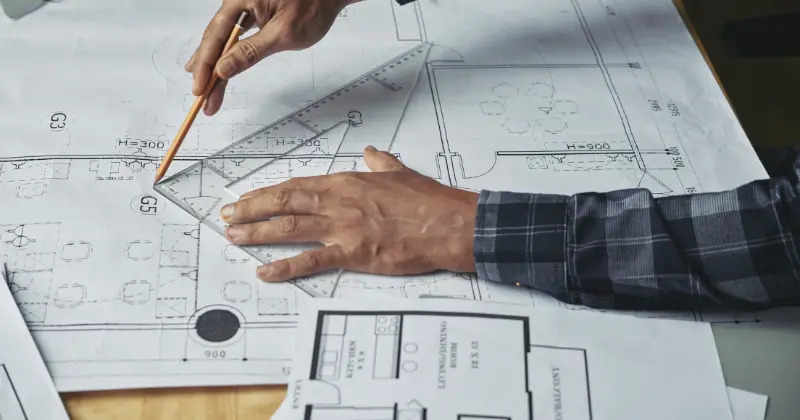
The construction drawing management platform keeps all stakeholders in sync by providing unlimited storage for common file types.
Users receive unlimited guest access without additional costs, ensuring everyone sees the latest drawings.
Testing these platforms showed us how digital features like automatic version tracking, live collaboration, and mobile access reduce wasted time significantly.
Your team shouldn’t get headaches from managing construction drawings.
Many teams still grapple with outdated systems, misplaced files, and poor communication.
Cortex
Managing construction drawings efficiently often determines whether a project stays on track or drifts into rework and delays.
Cortex positions itself as a focused document management system built around drawings, specifications, and related files, with product managers in mind.
The approach centers on giving teams one source of truth for plans, revisions, and approvals.
Cortex Key Features
- Centralized drawing management: Store drawings, specifications, and supporting documents in a single cloud-based system with clear version history.
- Automatic version control: Track revisions with timestamps, user details, and alerts so teams know when plans change.
- Drawing comparison tools: Overlay and compare sheets to quickly identify what changed between versions.
- Markup and annotation: Add comments, measurements, and notes directly on drawings, with photos or files attached for context.
Cortex Unique Capabilities
Cortex highlights features that reduce friction around drawing updates.
Change orders can be created and tracked directly from drawings, which helps tie decisions back to the source files.
AI-supported tools organize and tag drawings to make retrieval faster as projects grow.
Security is also emphasized, with hosting on Microsoft Azure, encryption in transit and at rest, and two-factor authentication.
For product managers, these capabilities support tighter control over documentation without adding extra layers of process..
Cortex Ideal For
- Project teams handling frequent drawing revisions that need clear version tracking and fast comparisons.
- Jobs with many external stakeholders that require controlled access for architects, subcontractors, and owners.
- Field-heavy projects where mobile access to current drawings and markups matters daily.
- Organizations reviewing alternatives to larger platforms and looking for a focused option for construction drawing management, such as those highlighted on cortex-dm.com.
Onware
Onware has been around since 2002 as a trusted name in construction document management.
The platform’s cloud system has managed documentation for more than 2,500 construction projects valued at over $10 billion.
Onware Key Features
Onware specializes in contract administration with tools that make document handling easier:
- Optimized document creation and distribution that sends automatic notifications to team members
- Simple document processing where users submit RFIs in 5 clicks and respond in just 2 clicks
- A mobile-ready platform that works well even with slow 3G connections
- Complete reporting with project summaries and performance metrics
- Smart task tracking that shows which documents need attention
The system uses a central database where everyone works from the same information without sync problems. Users can add electronic signatures automatically to their documents.
Onware Unique Capabilities
The platform’s collaborative structure sets it apart.
Onware Sync connects different construction management software, like Procore, which helps move data between systems smoothly.
- The software goes beyond simple document management with strong analytics tools.
- Users see their project data through Tableau and Power BI integrations. These connections break down data barriers and provide clear views of multiple projects.
- Onware builds on the Canadian Construction Documents Committee principles to standardize processes. This approach ensures accountability and proper risk management throughout projects.
Onware Ideal For
Onware works best for:
- Architecture, Engineering, Construction and Owner (AECO) teams managing contract administration
- Organizations that need detailed document tracking and audit trails
- Teams looking for consistent document workflows across projects
- Companies aiming to speed up document processing
Michael Chu from START Architecture puts it well: “Onware assists General Contractors and Owners to see things moving”.
Users don’t need to learn new software for each project, thanks to the consistent interface.
LetsBuild
LetsBuild emerged from the merger of Geniebelt and Aproplan to provide construction teams with a unified platform for drawing management.
LetsBuild Key Features
LetsBuild centralizes project information with:
- Site Diary & Daily Logs – Record daily activities, photos, and notes directly from jobsites
- Quality & Safety Checklists – Standardize inspections with built-in templates
- Gantt Charts – Create and manage project timelines with task dependencies
- Progress Tracking – Monitor project status with visual indicators
- Document Management – Store drawings, forms, and documents in one source
The platform transforms your project documentation into practical insights.
Site workers can access tasks, submit updates, and log issues without an internet connection through its offline-capable mobile app.
LetsBuild Unique Capabilities
LetsBuild excels at site-specific data collection. The system’s digitized punch lists, handover templates, and inspection checklists reduce risks by 80%.
Teams complete projects 50% faster with on-site report generation.
The platform goes beyond simple document handling. Its digital health and safety management system improves HSE compliance by up to 47%.
Companies can meet standards and create safer working environments through the construction health and safety plan.
LetsBuild Ideal For
The platform serves perfectly for:
- General contractors managing multiple job sites
- Teams handling large-scale projects
- Construction companies ready to move beyond spreadsheets
- Organizations prioritizing QSE (Quality-Safety-Environment)
Remy Robijns from Cit Blaton shares his experience: “LetsBuild has given us the perfect tool to enhance our daily QSE management”.
Thinkproject CDE
Thinkproject’s Common Data Environment (CDE) provides 100% web-based technology to manage construction drawings..
Thinkproject CDE Key Features
The modular platform brings all project information together and helps AECO teams stay productive with these features:
- Out-of-the-box, fully integrated module suite that adapts to specific project requirements
- Optimized workflows that speed up delivery and approval processes
- Document linking for submittals and transmittals with clear accountability
- Mobile apps for iOS and Android that bring CDE functionality to construction sites
- Permission-based access controls that limit information based on role or project phase
- ISO/IEC 27001 certification for information security
Users quickly notice how well the platform handles complex approval workflows. The system shows these workflows in a document-based format that ensures completeness and consistency.
Thinkproject CDE Unique Capabilities
Thinkproject stands out with its QR code system that substantially speeds up approvals while reducing errors from outdated designs.
The system preserves document integrity by adding a separate layer over documents instead of changing them.
The platform serves as a legally secure environment that connects teams throughout the project lifecycle.
Teams can review and add notes through the integrated 2D viewer while accessing full document history and model data quickly.
Thinkproject uses intelligent document assignment through coding systems to eliminate document filing issues in infrastructure projects.
Teams can add both simple and qualified electronic signatures directly to verified plans.
Thinkproject CDE Ideal For
Thinkproject CDE works best for:
- General contractors and project developers who manage complex construction projects
- Building and facility owners who need complete document control
- Energy, utilities, and infrastructure teams working on projects of all sizes
- Organizations that need flexible workflows with parallel editing by multiple reviewers
The system excels in infrastructure projects thanks to its intelligent digital review processes built for road and rail construction.
These processes automate complex customer-specific workflows and save time throughout construction.
Box for Construction
Box offers great value to construction teams looking for cloud solutions.
The platform serves as a central hub where construction professionals can work together seamlessly on projects.
Box for Construction Key Features
Box offers a central system to manage construction documents with several benefits:
- Share blueprints, photos, and specifications securely with clients
- Save previous file versions automatically to prevent teams from using outdated documents
- Set up secure project folders with custom access levels (view-only, uploader, editor)
- Teams can work on documents together in real time
- Use Box Capture on mobile devices to snap and share site photos securely
Box for Construction Unique Capabilities
Box stands out by giving teams complete project visibility.
Users can view CAD/CAM and BIM files on any device. The platform excels at organizing sensitive records while you retain control over access.
The platform connects smoothly with your existing apps, which simplifies processes without requiring entirely new systems.
Box for Construction Ideal For
Box works best for:
- Construction firms ready to go digital while meeting compliance requirements
- Teams that handle project bidding and proposals
- Field teams that need mobile tools for better jobsite decisions
- Companies building secure client collaboration portals
ProjectDox (Avolve)
ProjectDox serves as a specialized electronic plan review solution built specifically for government agencies.
ProjectDox (Avolve) Key Features
ProjectDox delivers robust plan review capabilities:
- Adaptable workflows that cover Building, Planning, Engineering, Fire, Public Works, and Utilities
- AI-powered intake checks and routing systems reduce review cycles
- Interactive corrections and guided uploads enhance the applicant experience
- Multi-page file versioning with slip-sheet comparison and overlay tools
- Complete audit trails track every decision and markup automatically
The platform excels at connecting reviewers across departments. Teams can coordinate reviews with departments or external partners in a shared workspace.
The system goes further by creating time-stamped records of review meetings to ensure accountability.
ProjectDox (Avolve) Unique Capabilities
Government expertise makes ProjectDox stand out from competitors.
Since its market launch in 2005, the solution has grown to serve hundreds of government customers.
The platform’s AI engine learns from over 350 government agencies’ data.
The system merges naturally with existing permitting systems.
A Clackamas County user confirmed this: “ProjectDox works really well with other applications, specifically Accela. In tandem, they work beautifully”.
ProjectDox (Avolve) Ideal For
ProjectDox works best for:
- State and local government agencies that need electronic plan review
- Municipalities looking to speed up building project approvals
- Organizations that need precise reviewer workload tracking
- Teams want performance dashboards to spot bottlenecks
Greenwood Village, CO saw impressive results with a “20% faster turnaround time from application to issue”.
The Chicago Department of Transportation saved nearly $24 million in 2022 alone.
Conclusion:
The construction industry keeps moving toward digital solutions.
Drawing management software will become crucial for teams that want to stay competitive.
Picking the right platform now will save money through less rework, quicker approvals, and better communication.
Our tests show that Cortex offers the best overall package for most construction teams.
The unlimited external user access sets it apart from competitors who charge per user.
The mobile features keep work flowing smoothly no matter where you are.
Not sure which option works best for you? Try a free trial when possible.
You’ll see how these tools can turn project documentation from a hassle into an advantage.
Good software doesn’t just store drawings, it turns them into useful information that leads to project success.